

Travel Pals
Travel Pals is an online service offering personalized travel recommendations and a holistic booking experience across mobile and desktop platforms
Research
Travel Pals is an online service offering personalized travel recommendations and a holistic booking experience across mobile and desktop platforms. Unlike existing travel apps like Google Reviews, Yelp, and TripAdvisor, which often suffer from untrustworthy or sponsored reviews, Travel Pals prioritizes authentic recommendations. Instead of relying on anonymous reviews, our platform features user-created lists shared through a social media-like feed. This approach leverages a user's personal network to curate relevant recommendations, ensuring a more trustworthy and personalized experience.
Travel Pals goes beyond simple recommendations by offering collaborative tools, including an in-app scheduler, collaborative list creation, and social features for interacting with fellow travelers. This makes Travel Pals ideal for both new and experienced travelers, whether venturing solo or in groups, and caters to anyone with a passion for exploring the world.
Design Goals
Our design goals centered on delivering a reliable, intuitive, and engaging travel planning experience. To achieve this, we prioritized the following:
Social and Collaborative Exploration:
Enhanced group travel planning - Authentic recommendations
Adaptive design:
Effortless booking:
Intuitive Design:
Design Charette
We conducted a design charrette to generate initial concepts. Individually, we spent 30 minutes sketching ideas, followed by a collaborative session to synthesize a unified plan.
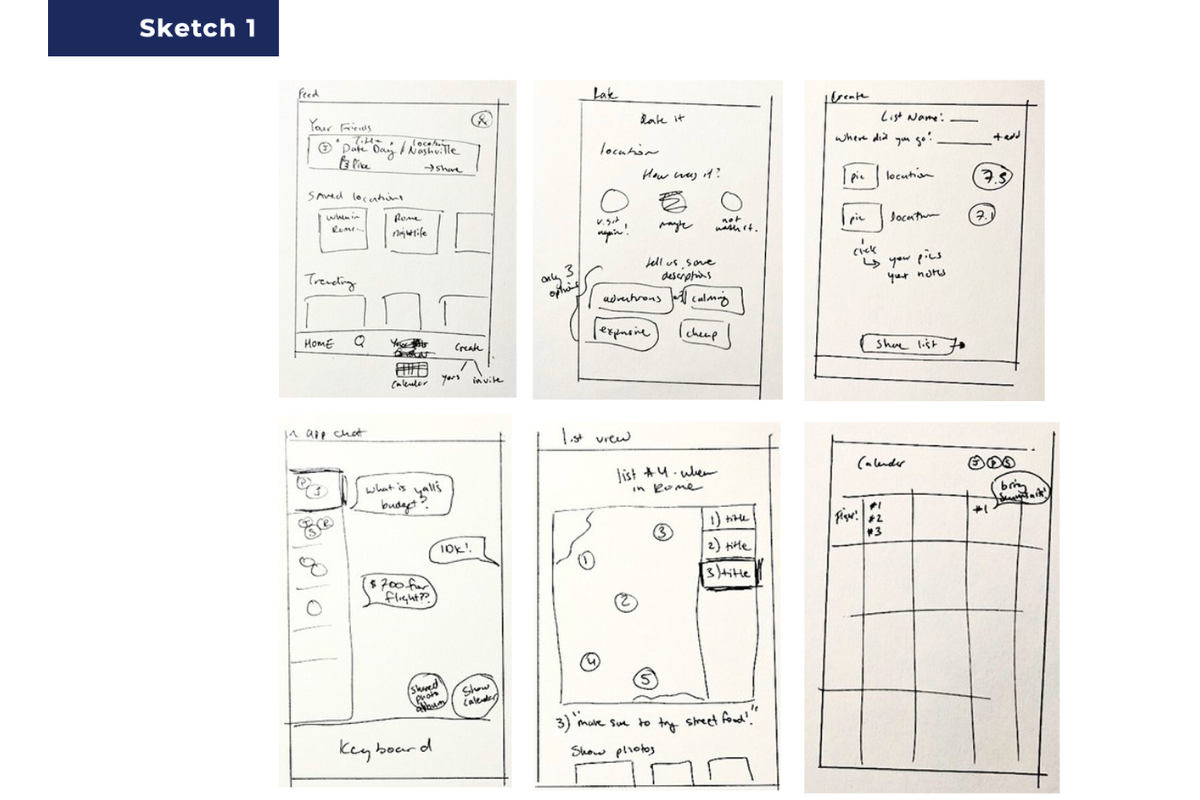
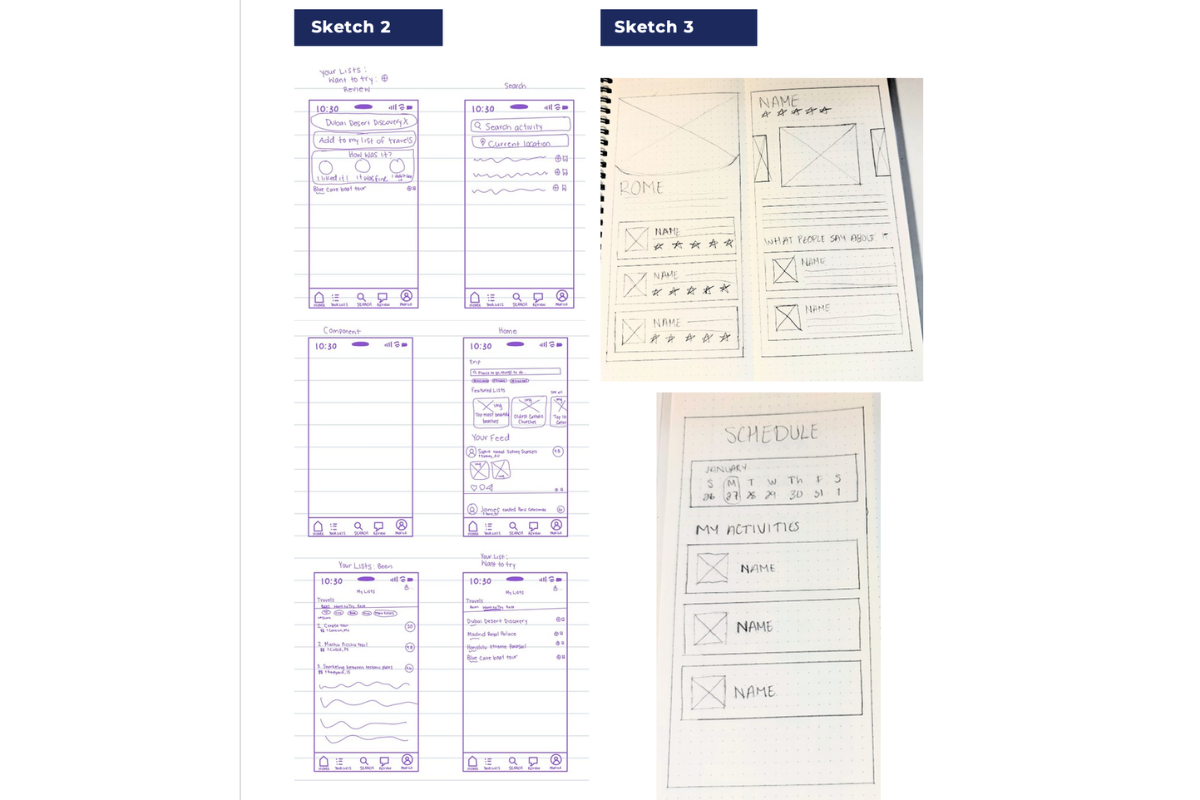
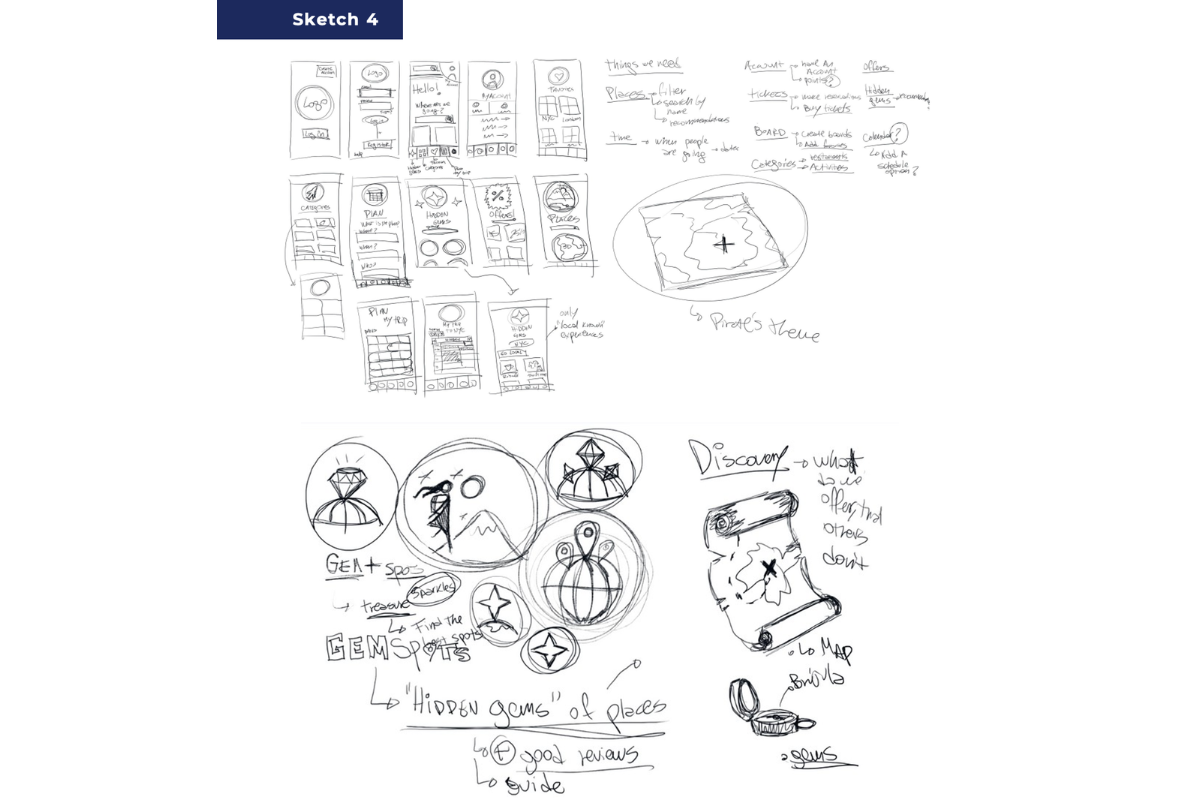
Mood Board
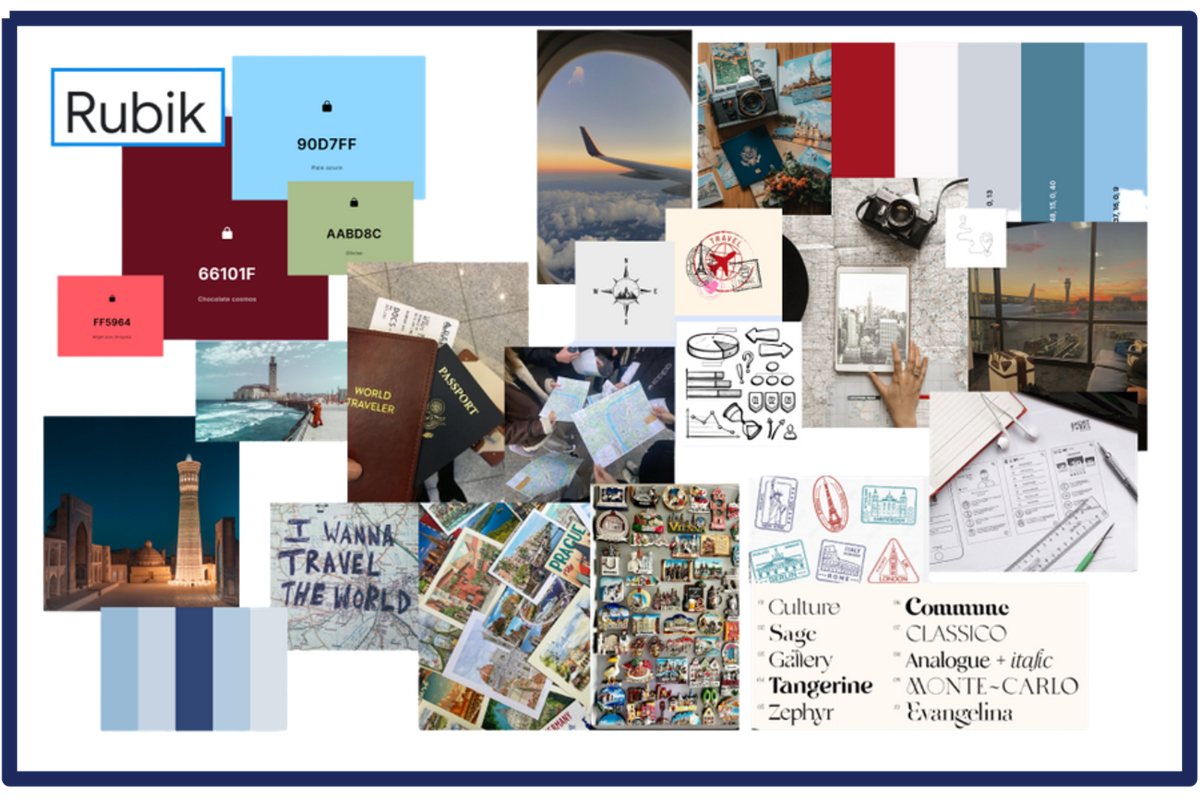
As a team, we then developed a mood board to visually establish the app's core colors, aesthetics, and themes, ensuring a cohesive design direction.
Low-Fidelity Prototype
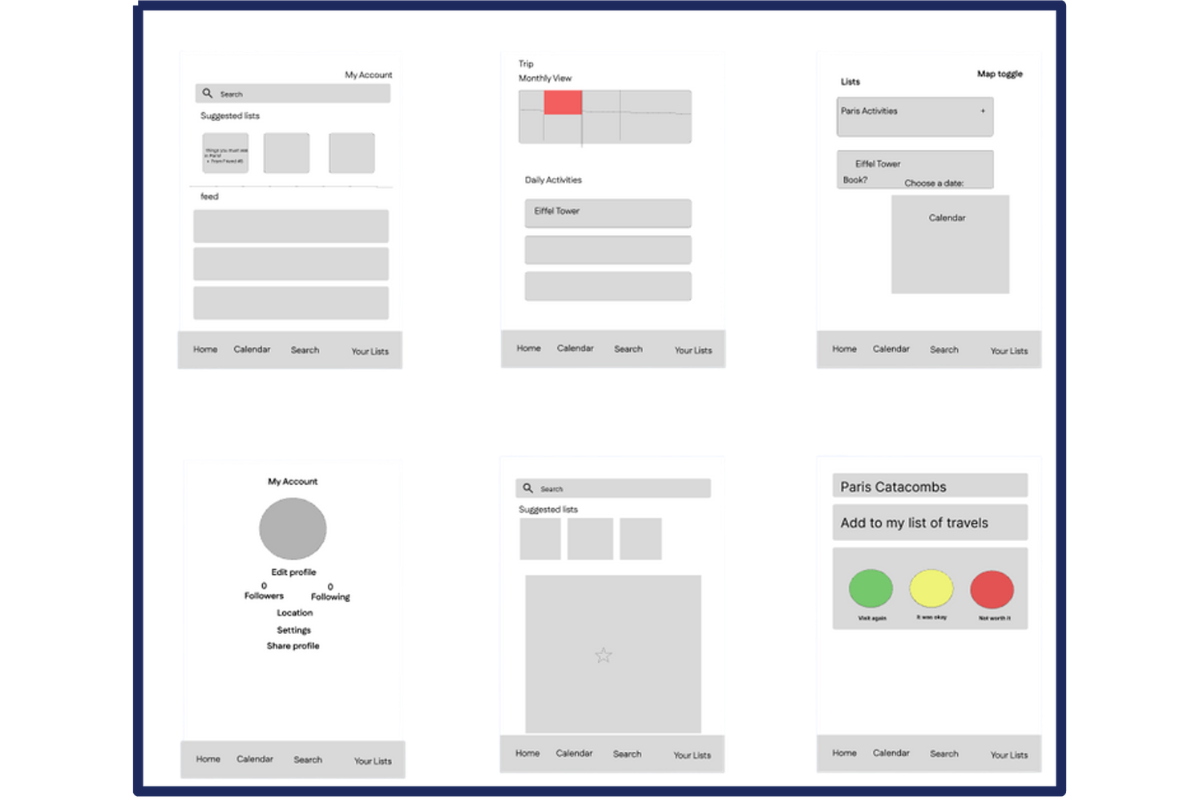
From our sketches, we identified core features and integrated them into a single design, which we then translated into a low-fidelity prototype.
Personas
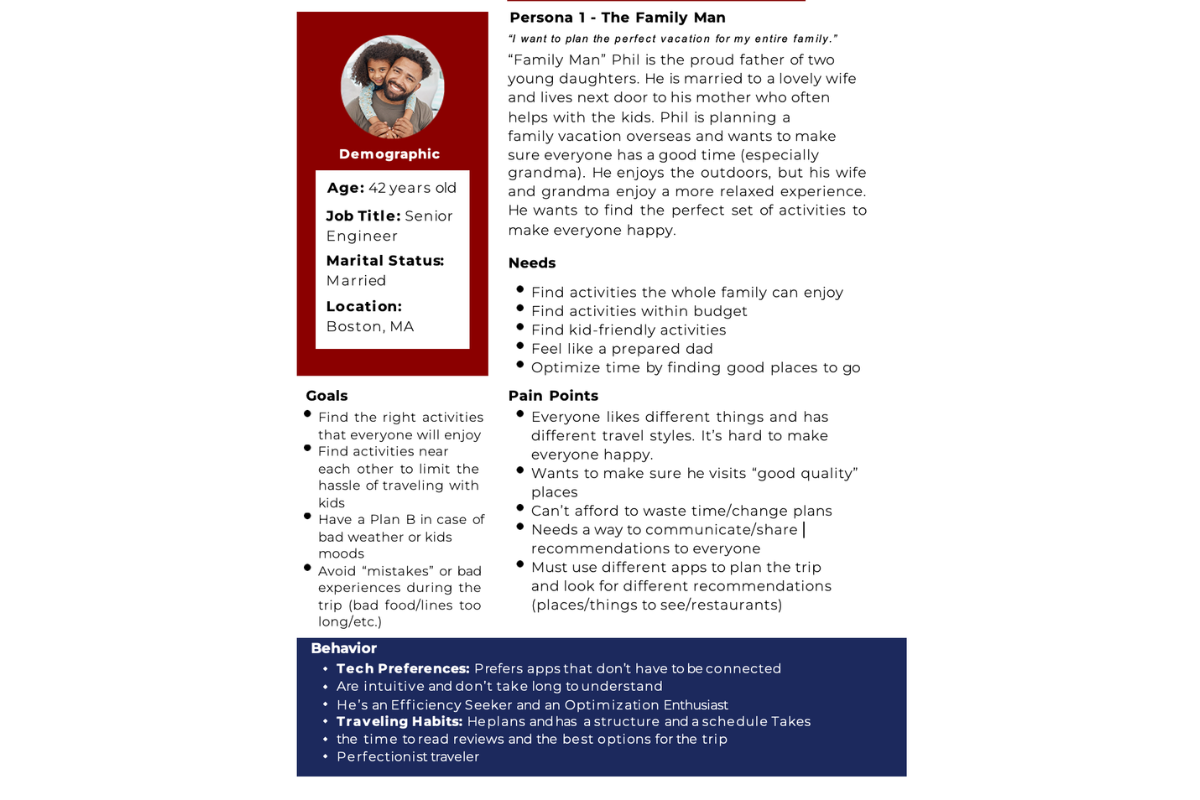
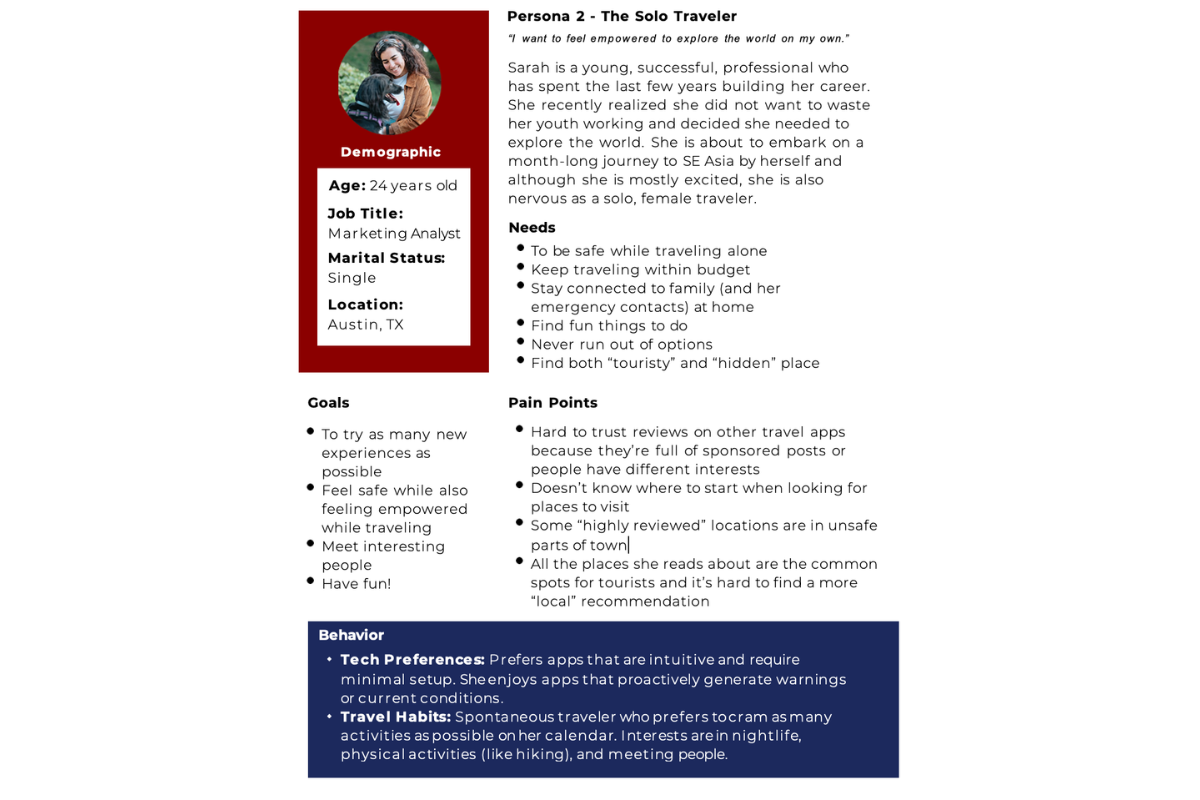
We created two personas to help personify our user base and guide the next iteration of our designs.
Scenario
To understand how Solo Sarah would engage with Travel Pals, we crafted the following user scenario:
Solo Sarah has a month to travel on her own. She wants to explore the world and get to know herself.
It is the first time she has gathered the courage to travel alone so she wants to be safe. She doesn’t want to follow a structured schedule because she is open to being spontaneous and “going with the flow”.
Sarah is a bit overwhelmed with the amount of information and forums about trips that she saw, and she’s looking for a relatable and trustworthy platform that fits her needs.
Digital Narrative
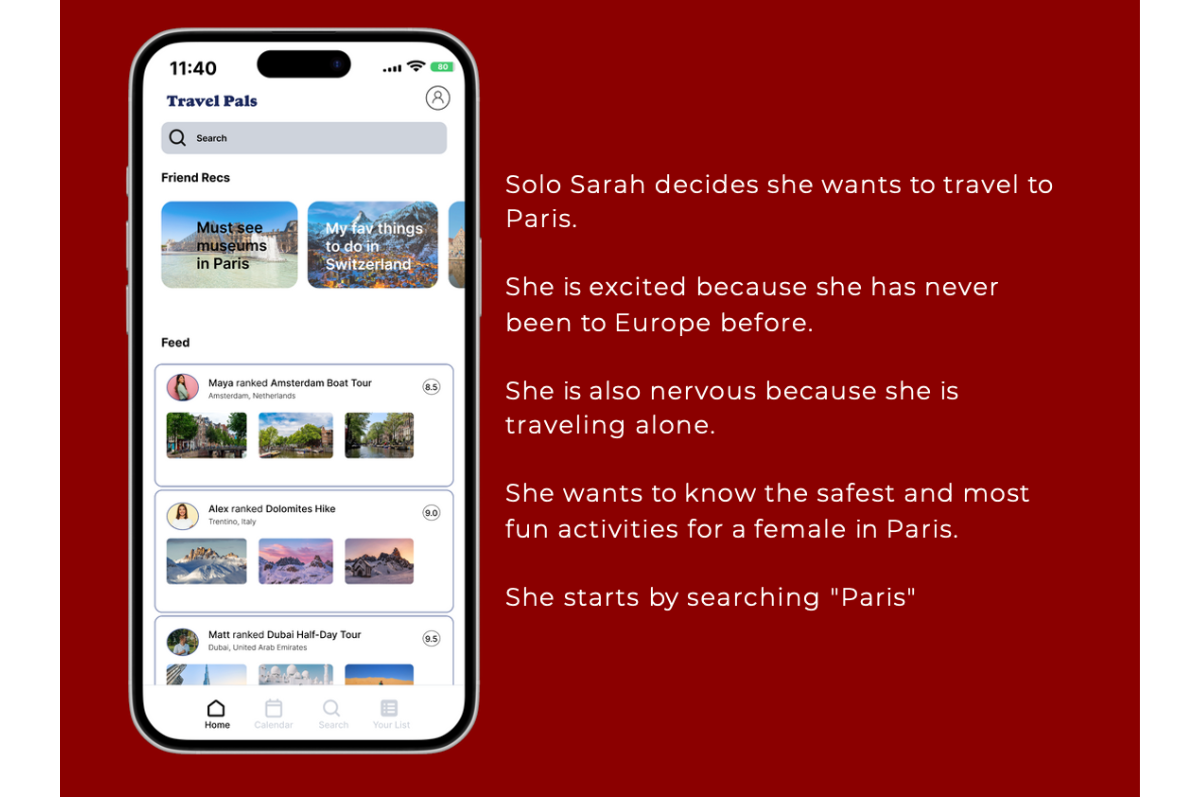
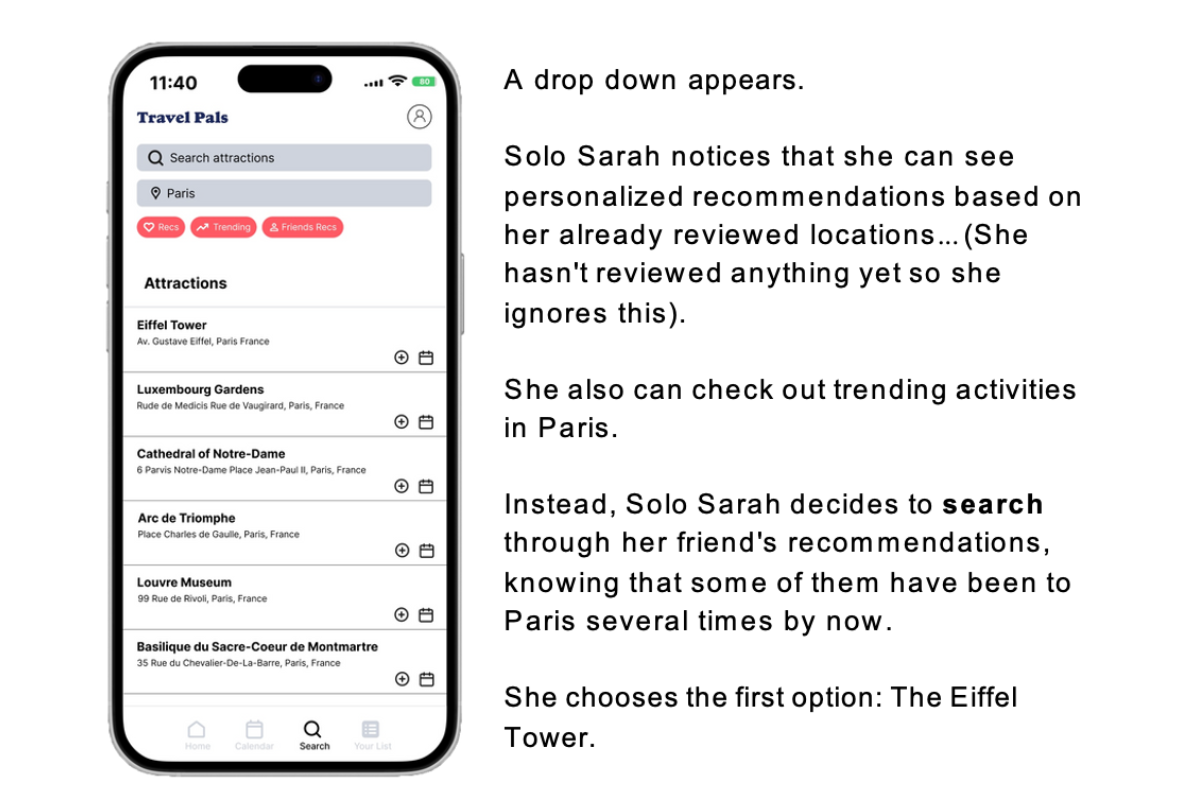
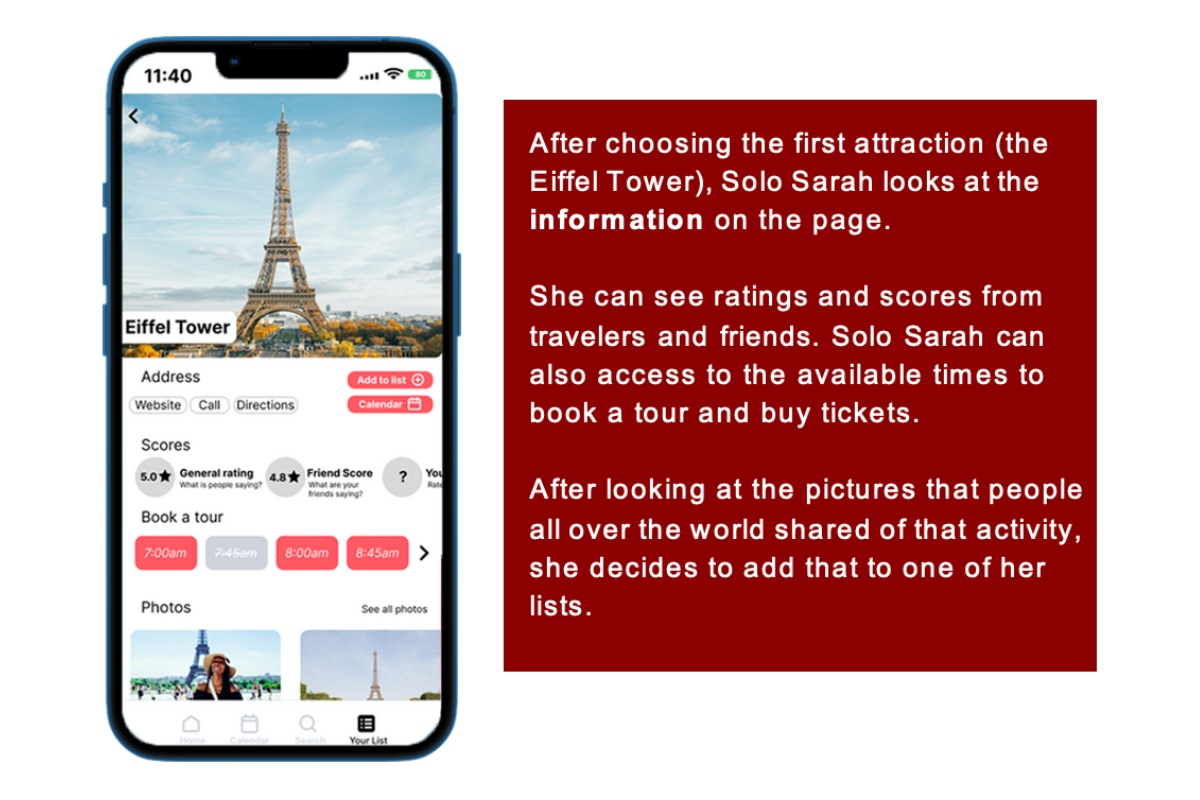
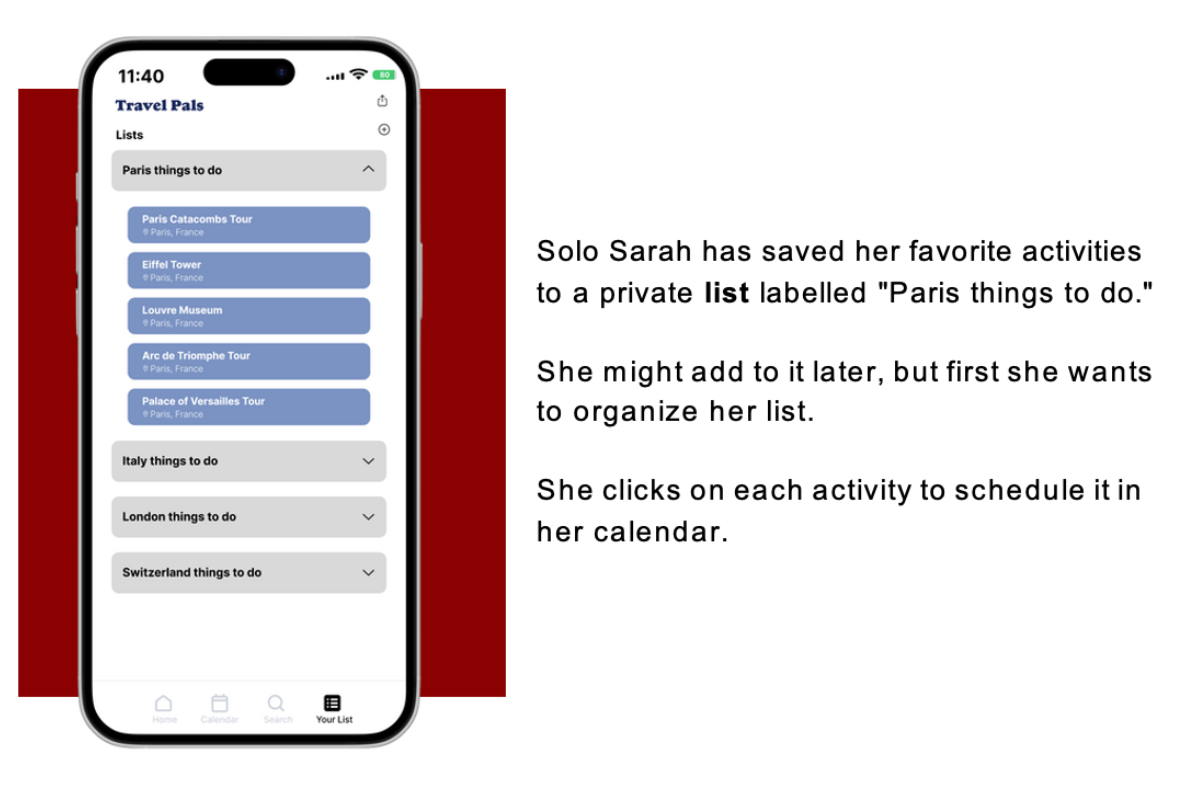
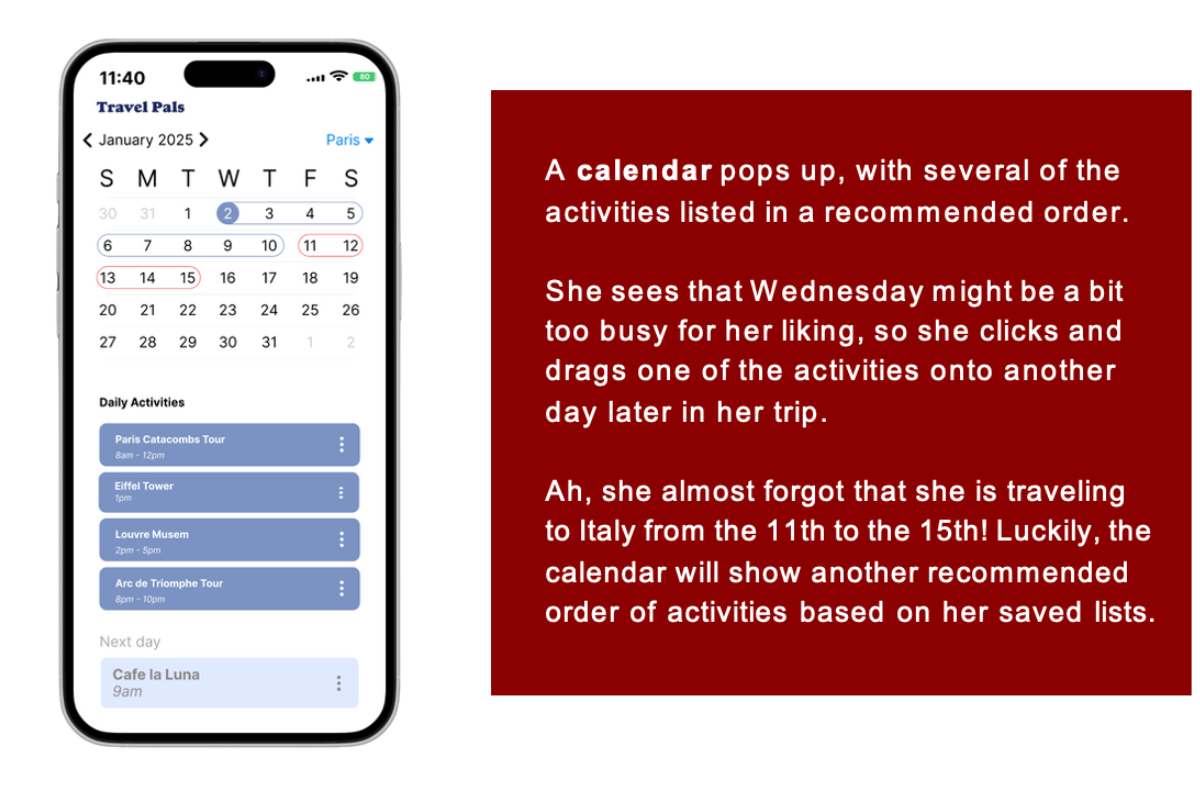
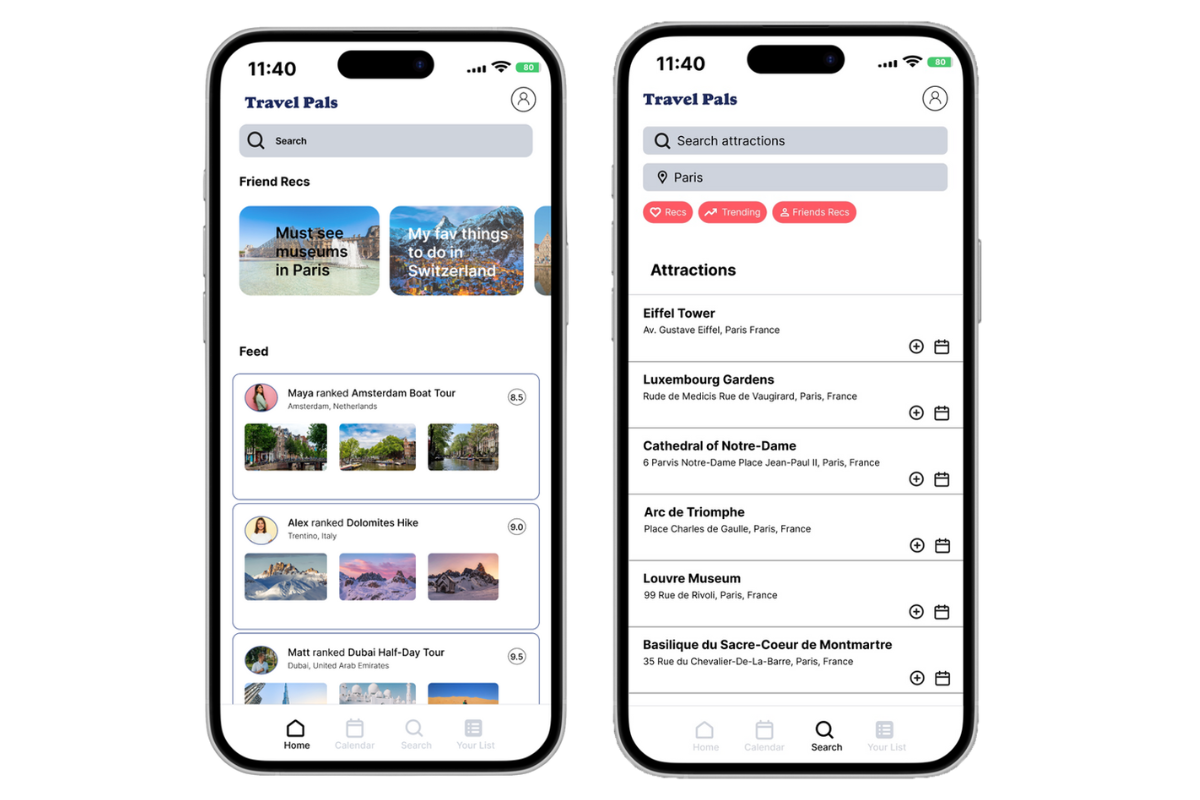
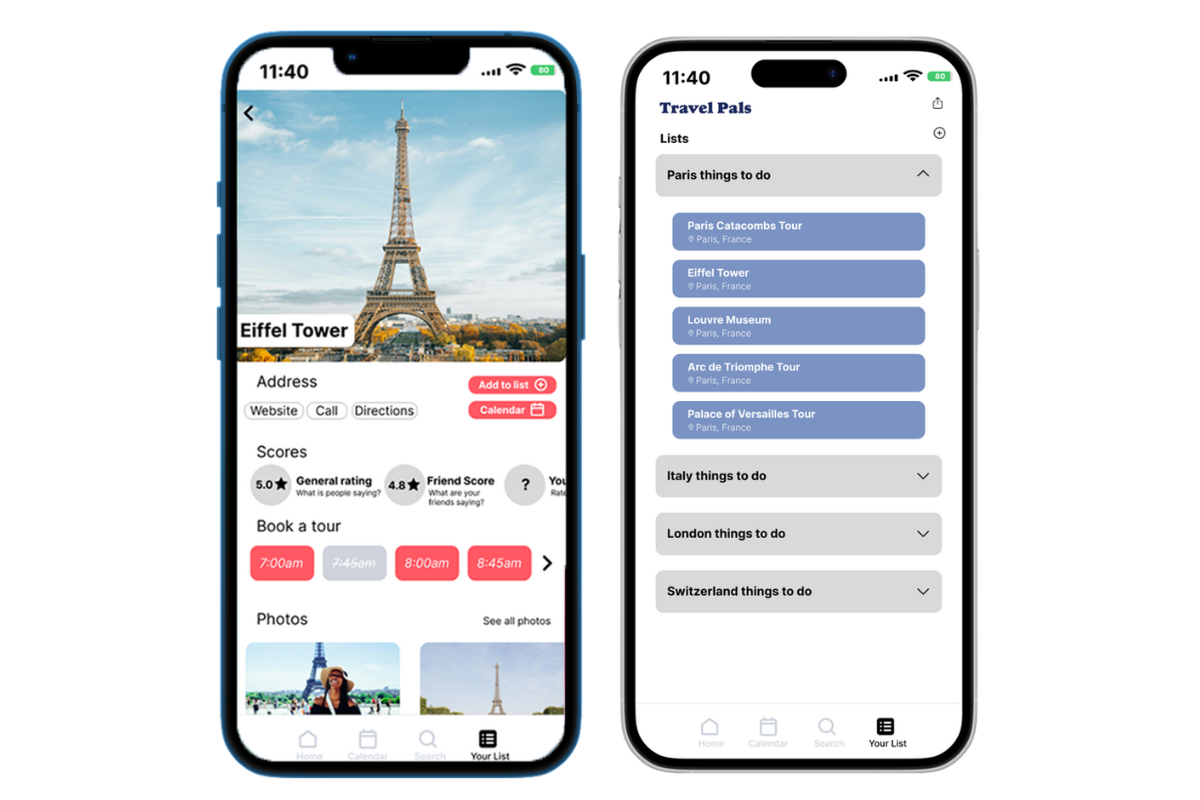
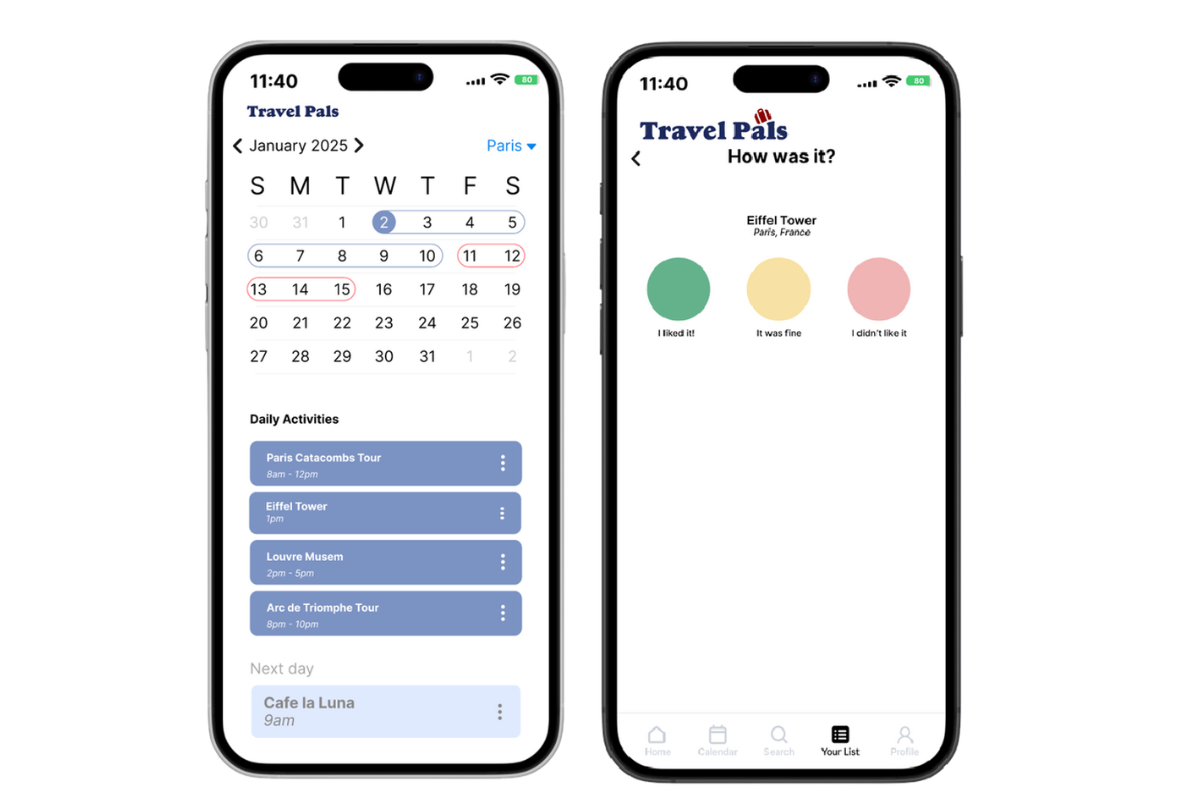
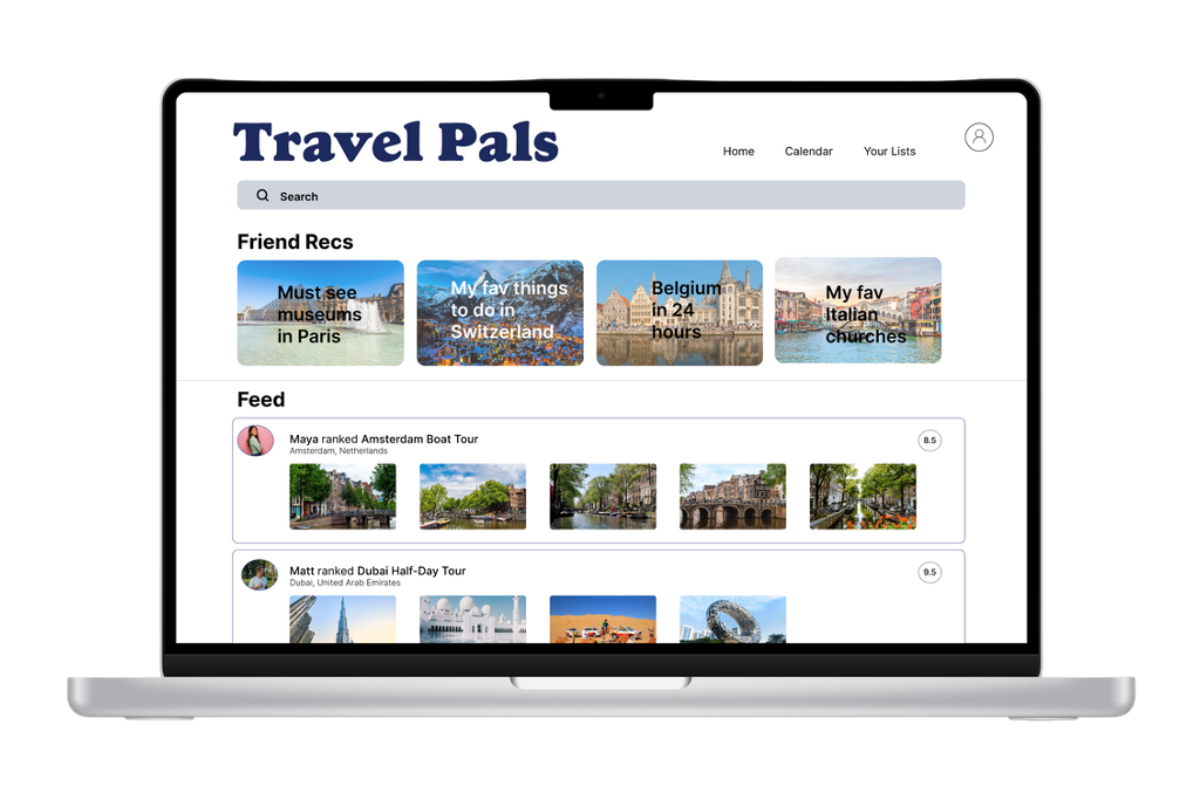
Guided by our user persona, Solo Sarah, we crafted a mid-fidelity prototype narrative outlining her journey through Travel Pals, highlighting how the platform addresses her specific needs and enhances her travel planning.
Mid-Fidelity Prototype
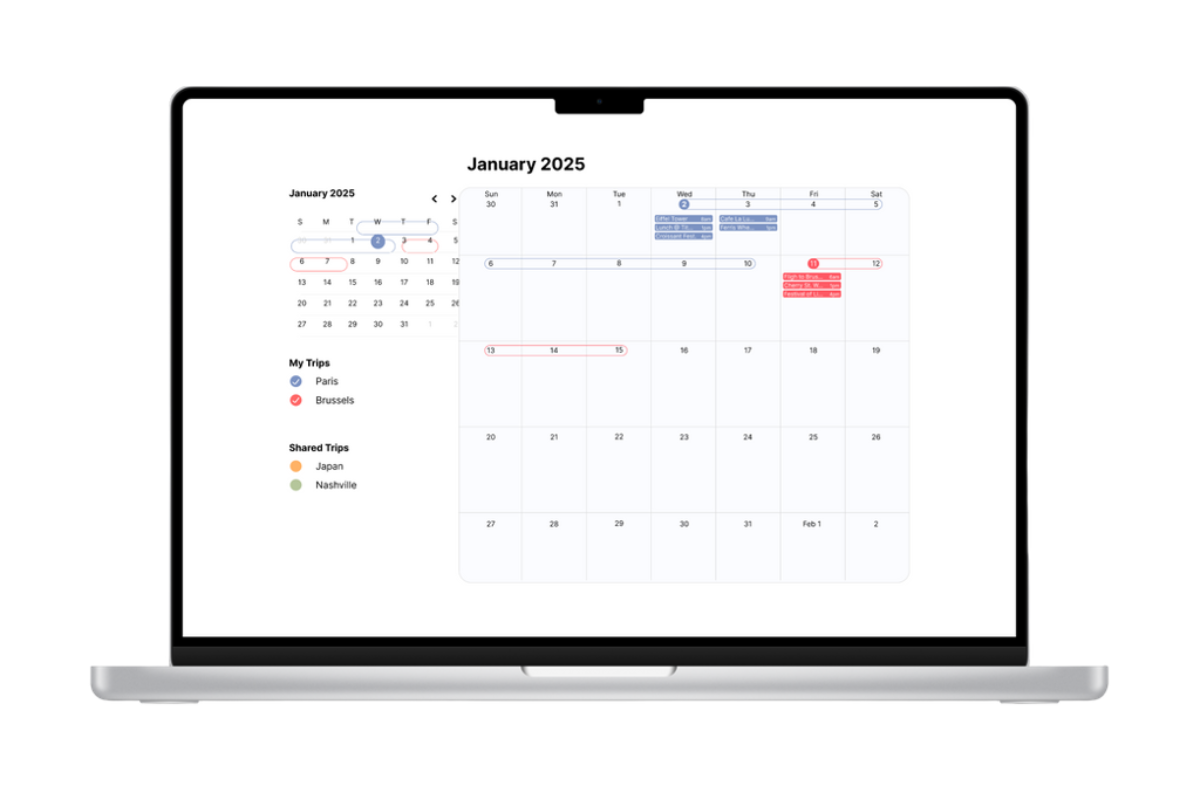
Usability Testing
After the mid-fi prototype was complete, we each tested the prototype with four representative users to see how intuitive Travel Pals was.
Test participants were required to have recently traveled or planned a trip. Participants were recruited by the team members and tested remotely. Each participant was recorded as they were asked to complete four tasks.
Task 1: Add “Eiffel Tower” to the calendar:
"Imagine you have free time to ravel. The place you were dreamt about visiting was Paris and seeing the Eiffel Tower. How would you search this activity on the Travel Pals application?"
Task 2: Review an Activity:
“Imagine you travelled and had a fantastic experience visiting the Eiffel Tower! You want to give it a great rating. How would you go about doing this on the app?”
Task 3: Add a tour to your schedule and share with a friend:
“..The Eiffel Tower was so amazing that you want to go again with your friend. You want to schedule a tour at 8:45am. How would you go about doing this?”
Task 4: Locate Directions on Desktop:
“... Now imagine that on Jan 2nd, you have three excursions booked. You want to know where they are on a map to see the best route to take. How would you go about finding directions to your planned activities?”
Results
Task 1: Add “Eiffel Tower” to the calendar:
Task 2: Review an Activity:
Task 3: Add a tour to your schedule and share with a friend:
completion of the task, and expected a confirmation page
Task 4: Locate Directions on Desktop:
calendar, but the option to find directions was too small and missed by all participants
Recommendations
Based on the our test results, we made the following changes:
Lessons Learned
Thinking back on prototype journey, we gathered some valuable insights:
The process of building Travel Pals has been both challenging and rewarding. This learning experience helped us understand user-centered design, prototyping, user testing and teamwork from a different perspective. [/BLUEBOX]